
MAITRY FABRICATION · Android on Google Play
Video Downloader Proxy Browser
Copy a link, paste it, and keep the file. Around that one job sit a browser with proxy support for reaching supported sites, a reels and status saver, a choice of quality where the source offers one, and a player for watching what you saved with the connection off.
Inside the app
Every part of it, one at a time
Six capabilities, each one taken from the app's current Google Play description. Nothing below is a roadmap item or an intention for a later build.
Paste a link, and the download starts
The whole app is built around one short action. You bring in a video address that you copied somewhere else, drop it into the field, and the app takes it from there. The flow is deliberately plain, and what you save afterwards is easy to manage: the finished files sit together rather than scattering across the device, so finding a clip a week later does not turn into a search.
A choice of quality, where there is one
The listing names 480p, 720p and 1080p, with HD when the original file carries it. Treat that as the range the app can offer rather than a guarantee: which options appear is decided by the source video and by the website it sits on, not by the app.
Reels saver for short video
Short vertical clips get their own downloader. Copy the link to the reel you want, hand it to the app, and it is saved alongside everything else. The download button also sits on the thumbnails themselves while you are looking through them.
Status saver, with a look first
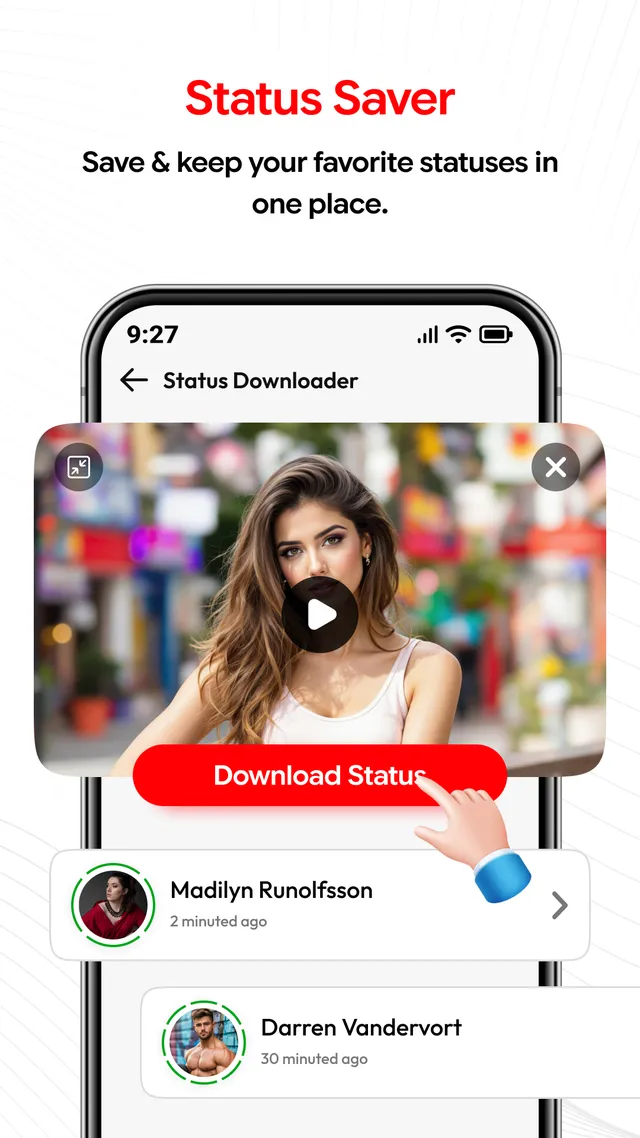
A status can be played through before you decide to keep it, so you are not saving something on the strength of a thumbnail. Once it is saved, the same screen lets you go back over what you kept and clear out what you no longer want.
A browser with proxy support
Search for something or type a full web address and stay inside the app while you read. Where a site is supported, a download can be started from the page you are on. It is a browser with proxy support for that browsing and downloading, and nothing more than that.
Offline player over one library
Saved files play inside the app with no connection at all, and every download is gathered in one place instead of several. That is what makes a long journey or a weak signal a non-event once the file is already on the phone.
From the store listing
Five screens, and what each is doing
These are the screenshots published on Google Play. Read the note under each one before you assume what a screen is for, because several of them look similar at a glance.
The status is playing at the top of the screen while the list underneath waits. You watch it first, then press Download Status, which is the point of the preview.
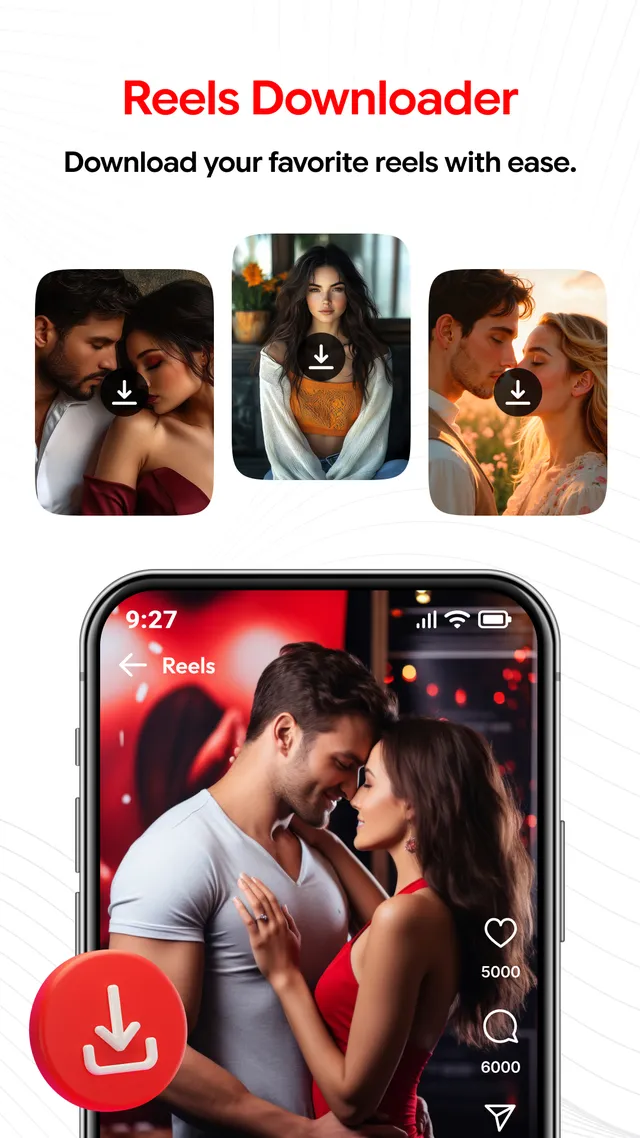
Every thumbnail in the reels grid carries its own download button, and the same control follows a reel when it opens to the full screen.
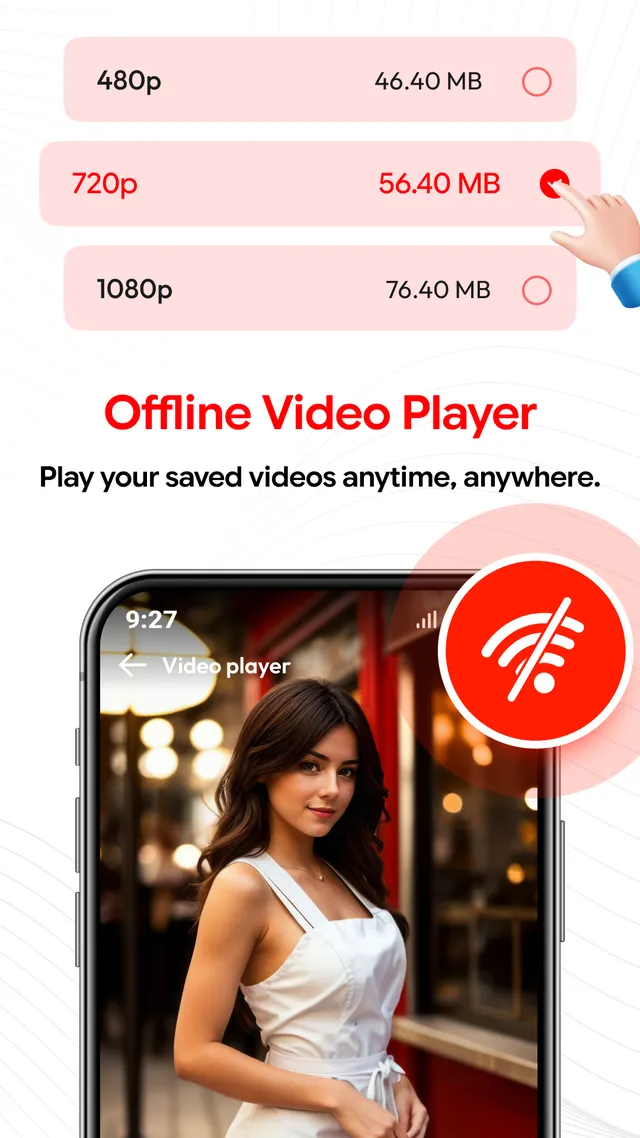
The quality list shows 480p, 720p and 1080p with the file size printed next to each. That size is the number to check against the storage you have left.
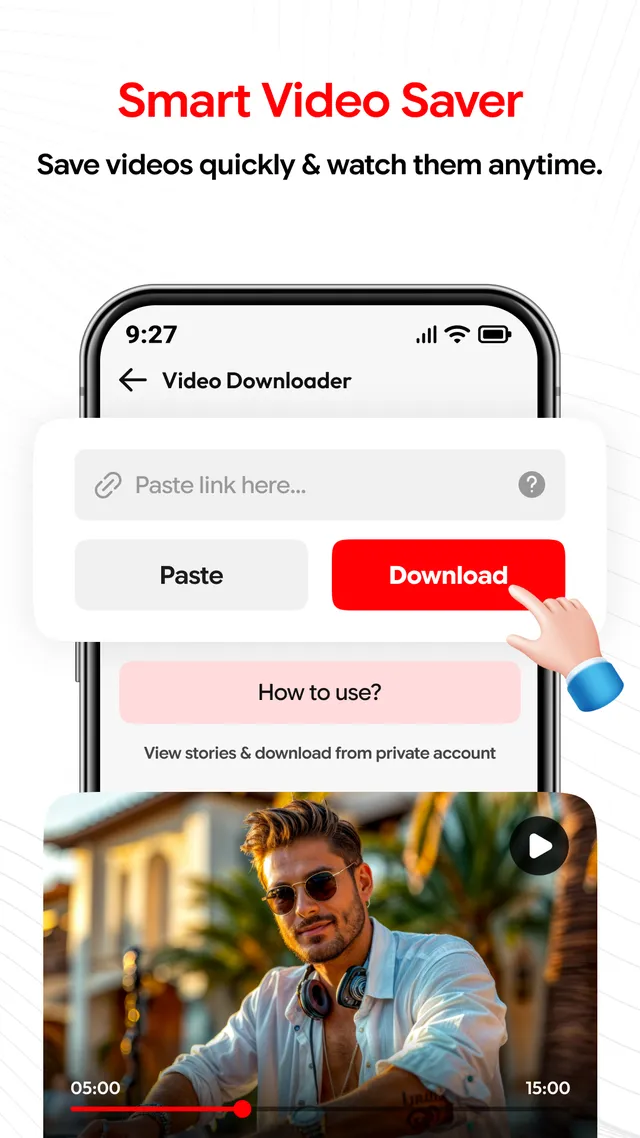
The main downloader screen: a field for the address, a Paste button beside it, Download under it, and a file that has already finished playing below.
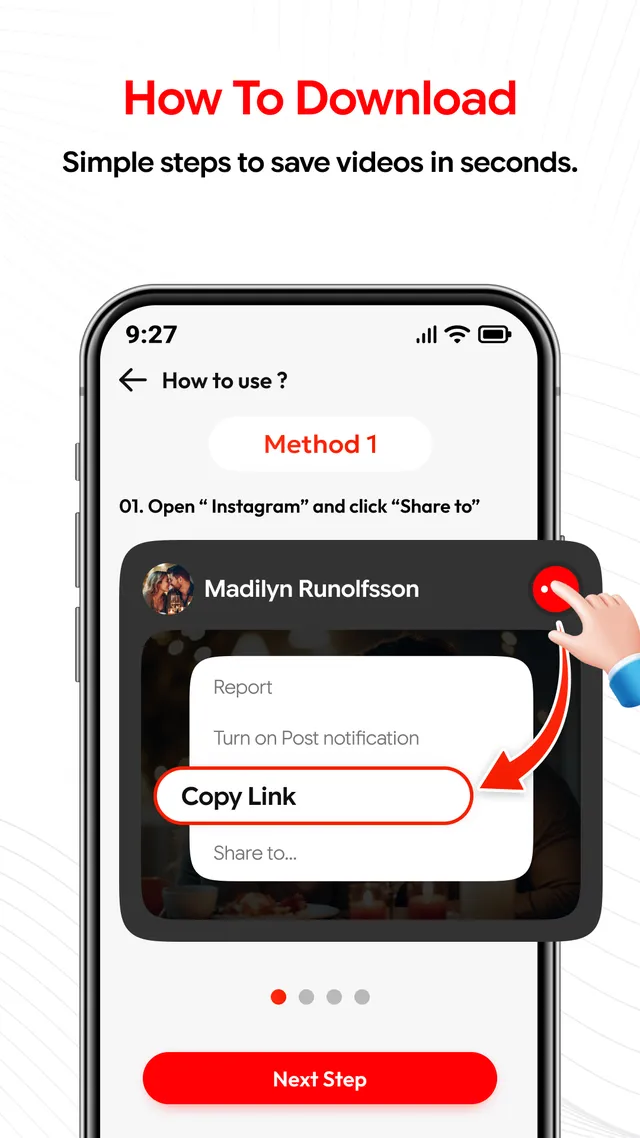
A help screen inside the app points at the share menu of a post and shows exactly where Copy Link is, for anyone who has not done this before.
The download flow
Five steps, as the listing sets them out
This is the sequence printed on the Google Play page, with a little more said about what happens at each point.
-
Copy the video link
Go to the post or page holding the video and copy its address. On most apps that means opening the share menu and choosing Copy Link. Before you do, satisfy yourself that this particular video is one you are entitled to keep.
-
Open the app
Switch over to Video Downloader Proxy Browser. The downloader screen is the one with the address field, the Paste button and Download beneath it.
-
Paste the link
Drop the copied address into the field and give the app a moment to look at it. What it finds is what it can offer you next.
-
Choose an available quality
Pick from the qualities the source has made available, with the file size shown against each one. If only a single option appears, that is the source deciding, not the app holding something back.
-
Tap Download
The file is written to your device and joins the rest of your saved videos, where the built-in player can open it later with no connection.
Device permissions
Why storage and network access are needed
An app that fetches a file and keeps it has to ask Android for two ordinary things. Here is what each one is actually for, without dressing it up.
- Storage access, to keep the file. A download has to be written somewhere on the device. Storage access is what lets the app put a finished video on your phone and read it back afterwards. Without it there is no saved-files list, no status or reels library, and nothing for the offline player to open. The files stay on your device.
- Network access, to fetch the file. Pages opened in the proxy browser, the check the app runs on a link you paste, and the video download itself all travel over the network. The same access is what lets the app report progress while a download is running.
- Nothing is gathered in the background. The Google Play data safety section for this app declares that no data is collected, that no data is shared with third parties, and that data is encrypted in transit.
The Play listing is the list that counts. We are not printing a full permission table on this page. A permission set can change from one release to the next, and a copy kept on a website goes out of date quietly and without anyone noticing. The authoritative, current list for the build you have installed is shown on the Google Play listing and in your own Android settings, where you can review each permission or withdraw it whenever you want.
Rights and responsibility
Where the limits are
Video Downloader Proxy Browser is not affiliated with, endorsed by, sponsored by or associated with any third-party social media platform or website. Where a platform is referred to anywhere in the app or on this site, the name is used only to describe what a screen or a link is for.
Saving a file is a technical act. Being allowed to save it is a separate question, and it is yours to answer before you press Download. Make sure you have permission to download and to use the content, respect copyright and other intellectual property rights, and keep to the terms of service of the website the video came from. Downloading copyrighted material without the rights holder's permission is not supported here.
Nor can availability be promised. What a source makes available depends on that source, and it can change without notice, so a video that saved this morning may refuse this evening.
Read the disclaimer and the terms and conditions before you install.
The proxy browser is a browser
It supports a proxy so you can navigate to a website and download from supported sites inside the app. It is not a VPN, it does not make your browsing anonymous, it does not encrypt your traffic, and it is not a route to blocked or restricted material. Please do not install it expecting any of those things.
- Download only what you own, or what the rights holder has allowed you to take.
- Respect copyright and intellectual property rights in the material you save.
- Keep to the terms of service of every website you download from.
- Copyrighted content taken without permission is not a supported use of this app.
- What a source offers can change at any time, and none of it is guaranteed.
Technically possible ≠ Yours to download ≠ Yours to reuse
Specification
Facts about this release
- Platform
- Android, distributed only through Google Play
- Package name
- com.maitry.mp4videodownloader.vidmate.player
- Price
- Free to install
- Monetisation
- Contains ads
- Category
- Video Players & Editors
- Content rating
- Everyone
- Last updated
- Sep 2, 2026
- Developer
- MAITRY FABRICATION
- Support email
- contact@maitryfabrication.shop
If this table and the store disagree, believe the store
Every line here is copied from the app's Google Play listing, and the listing is the record that counts. A date, a rating or a package detail can be updated there before anyone updates it on this page. If you spot a difference, the listing is right and this page is out of date — tell us through contact and support and it will be corrected.
Common questions
What people ask before installing
What can I download with the app?
It saves a video from a link you paste, saves reels from a copied link, and saves a status after you have previewed it. It can also download from supported sites you open in the built-in proxy browser. Availability depends on the source and can change without notice.
Which video qualities can I choose?
The listing names 480p, 720p and 1080p, and HD where the original file offers it. The options you actually see depend on the source video and on the website it came from.
Is the app free, and does it show ads?
It is free to install from Google Play, and the listing states that it contains ads.
Is the built-in proxy browser a VPN?
No. It is a browser with proxy support for navigating to a website and downloading from supported sites. It is not a VPN, it does not make browsing anonymous, it does not encrypt your traffic, and it is not a way to reach blocked or restricted material.
Is MAITRY FABRICATION connected to the sites the app can open?
No. The app is not affiliated with, endorsed by, sponsored by or associated with any third-party social media platform or website.
What data does the app collect?
The Google Play data safety section for this app declares that no data is collected, that no data is shared with third parties, and that data is encrypted in transit.
Install it and paste your first link
Video Downloader Proxy Browser is free to install from Google Play. If a download behaves oddly, write to us with your device model, your Android version and the site you were on, and we will look into it.